The 10 Best Intranet Software for Businesses this Year


Most intranets fail on content ownership, and the software takes the blame. The launch looks fine, the news posts thin out within months, and people go back to asking in chat where the travel policy lives.
And they’re in good company, with a Gartner survey finding that 47% of digital workers struggle to find the information or data they need to do their jobs.
The trouble starts at purchase. "We need an intranet" can mean scattered announcements, documents nobody can find, or an app for staff who never sit at a desk. Those are three different operating problems, and the ten platforms below solve them differently.
This article walks you through naming the problem you're actually buying for and judging ten platforms against it, so you can cut the list to two or three, run a trial that exposes what breaks, and budget for the work that starts after launch.
TL;DR (Quick Summary)
Pick the problem before the platform. Workforce shape, governance needs and the admin hours you can actually spare decide the answer. Headline features rarely do.
- Which kind of intranet are you buying? → Read what employees ask today, then shortlist by product type.
- Which criteria narrow the list? → Mobile login, provisioning, search, pricing model and admin effort cut more vendors than features do.
- How do the ten platforms compare? → Each has a clear center of gravity, and its weakness sits right next to it.
- Where do they differ day to day? → In who does the weekly work and what breaks first.
- Which fits your situation? → Match on workforce, suite and admin capacity, and check frontline login first.
- What does it really cost to own? → Each type hides its biggest cost somewhere different, and it's rarely the license.
- What should you test before signing? → Real searches, real permission changes and real phones, run by the people who'll own it.
Takeaway: Shortlist by operating model first, then compare products on adoption risk, governance effort and integration fit.
Start with the decision your business is actually making: intranet hub, employee app, or SharePoint-based workplace
Three kinds of system sell as intranets, each with its own shortlist.
|
Type |
What it's for |
What adoption depends on |
|---|---|---|
|
Communications hub |
Company news, leadership updates, campaigns, recognition, targeted announcements |
Mobile push, audience segmentation, access for non-desk staff outside Microsoft 365 |
|
Knowledge and document layer |
Searchable policies, department pages, forms, handbooks, project spaces, employee directory |
Information architecture and search quality |
|
Workplace front end |
A better entry point to SharePoint, Teams, OneDrive, Google Drive, Gmail or Calendar |
How much daily work already runs in the suite |
Diagnose the problem from what people ask today
Read a month of the questions employees already send through chat, email and the HR or IT inbox, and sort them into three piles:
- "Where is…" and "which version is current…" point to a knowledge problem.
- "Did everyone see…" and "why wasn't I told…" point to a communications problem.
- "Which link do I use for…" and "where did that file go" point to a front-end problem over tools you already own.
Buy for the biggest pile; the rest are trial nice-to-haves.
I've watched a company buy a polished comms app to fix a findability problem. The CEO's posts went out on time and got read. Staff still couldn't find the expense policy, because nobody had decided which of its four versions was current, and the app did exactly what it was sold to do for a question nobody was asking.
When a standalone intranet is the wrong buy
For a few dozen people sharing one chat tool and one file store, a standalone intranet is one more place to check. My rule of thumb (a recommendation, not a benchmark): don't buy one until the company has more than one location, a frontline group without desk access, or more content than anyone can name owners for from memory.
Below that line, an all-in-one workspace such as Bitrix24 covers the intranet jobs:
- A knowledge base for policies, handbooks and how-tos, kept next to the tasks that reference them
- Workgroups for departments and projects, each with its own files, discussion and members
- Company news, polls, chat and video calls in the same communication tools people use all day
That's a design choice. Bitrix24 puts the intranet and the work in one place, so it isn't built for broadcasting campaigns to thousands of frontline staff. If that's the job, the communications-first platforms below fit better.
Use these buying criteria to narrow the list before comparing products
Most failed intranets had every feature on the checklist. What sank them was the stuff buyers skim: phone login, how fast leavers lose access, whether search finds the policy under the name employees use, and the weekly upkeep.
|
Criterion |
What to check |
Standard or rule to apply |
|---|---|---|
|
Deployment model |
Standalone SaaS, or tightly bound to Microsoft 365 or Google Workspace |
If IT governs identity and storage in a suite, the intranet should sit on top of that suite rather than run parallel storage |
|
Identity and access |
Single sign-on, automatic account creation and removal |
SSO over SAML 2.0 or OpenID Connect; provisioning over SCIM so leavers lose access the day HR closes their record |
|
Employee communications |
Targeted news, acknowledgments, newsletters, push |
Ask how audiences are built: from HR data fields, manual lists or both |
|
Multilingual publishing |
Machine translation on the fly versus managed translations |
Every translated policy needs an owner who approves it in that language |
|
Knowledge management |
How content is created, reviewed, approved, archived and found |
Every evergreen page has a named owner and a review date, with expiry reminders sent to the owner automatically |
|
Search |
Synonyms, metadata, file contents, permission-aware results |
Run your own top queries; the right page should appear in the first few results |
|
Integrations |
HRIS sync, file storage, chat, service desk, business-system widgets |
Count each connection as an ongoing maintenance item with a named owner |
|
Mobile |
A native app with notifications, and login that works without a corporate laptop |
Test on ordinary employee phones, including older Android devices |
|
Accessibility |
Screen-reader support, contrast and keyboard navigation in templates and the editor |
WCAG 2.2 Level AA as the minimum; ask for an Accessibility Conformance Report built on the ITI VPAT (the EU edition maps to EN 301 549) |
Know which pricing model you're buying
Most vendors here don't publish rates, so compare models before numbers:
- Quote-based per employee, for most enterprise platforms (Staffbase, Simpplr, Interact, Unily, LumApps, Workvivo), set by headcount, modules and term
- Published per-user tiers, for simpler hubs such as Jostle
- Bundled in a suite, for SharePoint, where the license looks free and the build doesn't
- A flat price per organization, for Bitrix24: each plan has a fixed price and a user limit, so adding people inside the limit doesn't change the bill (see current plans)
Then price everything outside the per-user rate: minimum seats, implementation fees, paid SSO or provisioning add-ons, analytics tiers and premium support.
Replace-versus-complement moves the total more than the rate does. A front end over Microsoft 365 or Google Workspace is a second license on seats you already pay for. A standalone or all-in-one platform retires tools only if you actually switch them off.
Count the admin hours before the features
The demo never shows the weekly work. Someone owns the homepage and chases page owners when review dates pass, and someone checks that local editors haven't broken targeting. For scale, winners of Nielsen Norman Group's 2023 Intranet Design Annual averaged 21 people on their core intranet teams. Most were large enterprises, but even the smallest, iRobot with about 1,100 employees, ran a core team of eight (part-timers and agency staff included). The work never reaches zero.
At a mid-size company, plan on one intranet owner in comms, HR or operations and a local editor per department or site. "Almost no admin" is a sales answer.
Targeting is only as good as the HR data under it. When location fields are filled in three different ways, a site closure notice goes to the wrong site or to nobody, and you find out when a shift shows up to a locked door. Run the trial on your real HRIS fields. Demo data is always clean.
Pro tip: In the demo, ask the vendor to deprovision a test user live. Disable the account in your identity provider and time how long the mobile app keeps showing company content. Cached sessions on phones are where leavers hang on to access, and that one test tells you more about identity handling than any security slide.
The 10 Best Intranet Software Platforms Compared
Pricing models are as vendors described them on their own sites in October 2026. Read the terms as hard as the rates: the renewal that hurts is the one where headcount fell after a restructure, the seat floor didn't, and finance spends a year paying for people who've already left.
|
Product |
Best fit |
Pricing model |
Integration highlights |
Ownership effort |
|---|---|---|---|---|
|
Staffbase |
Mid-market to enterprise, frontline-heavy |
Quote; per employee, priced by module (app, intranet, email) |
Microsoft 365, HR systems, SSO |
Moderate |
|
Simpplr |
Mid-market to enterprise |
Quote; volume-based, with a user minimum |
Microsoft 365, Google Workspace, Slack, Salesforce |
Moderate |
|
Interact |
Mid-market to enterprise |
Quote; by workforce size and scope |
Microsoft 365, Google Workspace, SSO |
Moderate to high |
|
Workvivo by Zoom |
Growing to large organizations |
Quote; annual, scales with seats |
Microsoft 365, Google Workspace, Zoom, HR systems |
Moderate |
|
LumApps |
Mid-market to enterprise |
Quote |
Google Workspace and Microsoft 365 |
Moderate to high |
|
Happeo |
SMB to mid-market |
Tiered per-user plans, priced on request; volume discounts |
Google Workspace (deepest), Microsoft 365, SSO |
Moderate |
|
Unily |
Enterprise |
Quote, with significant implementation |
Microsoft 365, SharePoint, Entra ID, APIs |
High |
|
SharePoint |
Microsoft-centered organizations |
Per user, inside most Microsoft 365 plans |
Teams, OneDrive, Viva, Dynamics 365 |
High |
|
Jostle |
SMB to mid-market |
Published per-user tiers, prepaid annually, no setup fee |
Microsoft 365, Google Workspace, SSO |
Low to moderate |
|
Haiilo |
Mid-market to enterprise |
Per user; quote for most configurations |
Microsoft 365, Google Workspace, HR platforms, SSO |
Moderate |
Staffbase
A comms platform with intranet features, built for frontline workforces: branded app, targeted multilingual news, campaign analytics. It's at its best reaching stores, plants or field crews by location, and weakest as a document-heavy knowledge base. In the trial, try finding a policy through the app's search.
Simpplr
An employee experience platform with AI-supported search, personalized feeds, journey-style targeting and engagement analytics. It suits teams that want one homepage and one search, and its Slack and Teams integrations push posts into chat. Ask who on your side would own the personalization rules.
Interact
An enterprise intranet built for governance: granular permissions, targeting, taxonomy controls and publishing workflows. It gives business units local publishing freedom under central control, and it exposes a weak ownership model instead of fixing it. Ask to watch a local editor publish to their department and get blocked from publishing company-wide.
Workvivo by Zoom
A social engagement platform, owned by Zoom since 2023: feeds, recognition, live streaming and community spaces. It pulls people in through interaction, but momentum doesn't build policy structure. Ask how someone finds the handbook six months after the post announcing it.
LumApps
A workplace layer over Google Workspace and Microsoft 365, with personalized homepages and multilingual delivery. Documents stay in the suite, so the payoff tracks how heavily you use it. Make the vendor demo the suite that carries most of your daily work.
Happeo
A Google-first intranet with Channels for news and discussion, pages, directories, and deep Drive and Gmail integration. It now connects natively to Microsoft 365, but its best fit is still a Google Workspace company. If any team lives in Microsoft tools, walk through their day in the trial.
Unily
An enterprise digital workplace built for customization and global structures, with role-, region- and business-unit-specific experiences. You pay for that in implementation and governance. Ask for the implementation plan and the named roles you'd staff after go-live.
SharePoint
Microsoft's content platform and the usual base for a custom intranet, with real collaboration depth: co-authoring, version history, permissions, and Teams channels that keep their files in SharePoint. The license comes with most Microsoft 365 plans; the money goes into architecture and administration. Ask the builder what happens when someone shares a folder outside the permission structure.
Jostle
A simple hub for announcements, directories, events and discussions, with pricing published per user. Layered permissions or multilingual governance will outgrow it, so check those requirements first.
Haiilo
A comms platform that overlaps intranet and employee advocacy: campaigns, targeted messaging, mobile access and analytics. Test how policies are stored and searched, apart from campaigns.

Compare the 10 tools by where they differ most in day-to-day use
Every demo is run by the vendor's best admin on clean data. The differences that matter show up after launch, when the person running it is yours.
|
Type |
Platforms |
Who does the weekly work |
What breaks first |
|---|---|---|---|
|
Communication-first |
Staffbase, Haiilo |
Comms team running an editorial calendar and audience lists |
Targeting drifts as HR data ages; evergreen content gets buried under news |
|
Microsoft-centric |
SharePoint |
Site owners per department, plus IT for permissions |
Permission sprawl and inconsistent navigation between sites |
|
All-in-one employee experience |
Simpplr, Interact, Unily |
A central intranet owner plus local editors |
Local sections go stale while the homepage still looks fine |
|
Social and collaboration-led |
Workvivo, and to a lighter degree Jostle |
Community managers and team leads posting |
Reference content scattered across posts and comments |
|
Google-centered |
Happeo, LumApps |
Channel owners and Workspace admins |
Drive files the intranet links to that nobody owns |
Three ordinary tasks show the gap:
- A safety update due at every store by end of shift: a comms-first platform pushes it to phones by location and shows who opened it. On SharePoint it's a news post frontline staff never see.
- A new manager searching for the parental leave policy: a knowledge-led platform returns one current version. A social-led one returns the announcement, three comment threads and last year's PDF.
- Two teams co-writing a proposal: SharePoint or a Google-first setup keeps them in one file. A comms-first platform sends them elsewhere.
If you run on one suite with no frontline staff, I'd put that suite's native option at the top of the shortlist and make every other vendor prove it should replace it.
SharePoint sprawl builds up one exception at a time. Someone breaks permission inheritance to share a folder with a contractor, someone else does it for an auditor, and two years later nobody can say who sees what without running a report. If you choose SharePoint, put a quarterly permissions review on someone's calendar from day one.
Match each intranet platform to the company situation it fits best
Choose this when:
- Communication-first (Staffbase, Haiilo): a frontline workforce on phones and a comms lead to run the calendar. Watch mobile login.
- Microsoft-centric (SharePoint, LumApps as a front end): Teams and OneDrive carry daily work, and you can fund site owners. Watch editor training.
- All-in-one employee experience (Simpplr, Interact, Unily): several units publish their own content, in several languages. Watch local editor workload.
- Social-led (Workvivo, Jostle): connection is the gap and reference content is light. Watch moderation, which turns into a second editorial job.
A Google Workspace company should start with Happeo, and look at LumApps when personalization or multilingual support matter more.
A company that wants the intranet and daily work in one place fits Bitrix24, from a 50-person office on Standard to a multi-branch business on Enterprise, which runs to 10,000 users with branch accounts and Active Directory integration.
If the main job is campaigns to thousands of phone-only frontline staff, a communications-first hub fits better.
When frontline staff don't have company email
Most intranet logins assume a corporate account in Microsoft Entra ID (formerly Azure AD) or Google Workspace. Plenty of frontline staff don't have one, or a work device either.
When Walmart launched its Me@Walmart associate app in 2021, most store associates were sharing company handhelds, so it handed more than 740,000 of them a free Samsung phone. Few companies can buy their way past the problem, so measure yours: pull active employees without a directory account from the HRIS before the first demo.
Check which of these each vendor supports:
- Login by mobile number or personal email with a one-time code
- Login by employee ID verified against the HRIS
- Shared or kiosk devices in break rooms, with fast user switching
- Automatic lockout when the HRIS marks someone as having left
If staff will use personal phones, bring HR in early: rules on reading work messages outside paid hours vary by country and contract.
The day-one failure I see most is a store or warehouse team locked out because SSO was set up for people with Microsoft accounts. Their first experience of the new intranet is a password-reset queue, and that impression outlasts any launch email.
Testing Bitrix24 for a smaller mixed team? Run its mobile app the same way: a staff member's own phone, off the office Wi-Fi.
Weigh the tradeoffs: ease of use, customization, integrations, and long-term ownership costs
Easy to demo and easy to own are different tests. SharePoint and Unily give you control over branding and navigation, and charge for it in design work and partners. Packaged platforms such as Simpplr, Jostle and Staffbase make those calls for you and limit how far the intranet bends.
I'd take a packaged platform that fits roughly 80% of the requirements over a custom build that fits all of them, unless the company has a permanent team to run the build. (That 80% is a judgment, not a benchmark, by the way.)
Custom builds break after the contractor leaves. The homepage components were built against a site structure nobody inside documented, and adding a department becomes a change request with a quote attached.
Where the hidden costs sit by archetype
Each archetype buries its biggest cost somewhere different:
- SharePoint and Unily: architecture, design and governance consulting, before launch and again at every reorganization
- Communication-first tools: comms time on content cadence, campaigns and audience lists
- Suite front ends (LumApps, Happeo): a second license on top of suite seats
- Social-led tools: moderators and community owners nobody budgets as a role
Every model also carries migration hours, editor time, translation, renewal increases and upkeep for each integration, from HRIS sync on an enterprise platform to the integrations you connect to Bitrix24. The most expensive intranet is the one launched without a realistic content ownership model, whatever its license fee.
Pro tip: Before signing, get two things in writing: a cap on renewal price increases, and the format your content comes back in if you leave. Pages exported as clean HTML or Markdown with their metadata make the next move a migration. A database dump makes it a rebuild.
Plan for rollout, migration, and adoption before making a final choice
Switching intranets is a content cleanup project. The software is the small part.
Use a 90-day plan for a packaged platform
For an SMB on packaged SaaS, a quarter is realistic. Custom enterprise builds run far longer: winners of NN/g's Intranet Design Annual had a median creation time of 18 months between 2014 and 2023. The outline below is illustrative, so stretch the weeks to fit your content volume:
- Weeks 1–3: inventory content, apply the triage rules, card-sort navigation labels, name an owner for every section
- Weeks 4–6: configure SSO and provisioning, build audiences from cleaned HRIS fields, test permissions with real editors
- Weeks 7–9: migrate triaged content only, rewrite the top policies, train every editor on publishing and review dates
- Weeks 10–12: go live for everyone on one date, then review search misses and section analytics weekly
Triage content before anything moves
Moving everything preserves the clutter. Records managers call the junk ROT (redundant, outdated or trivial), and every piece of it needs a decision: migrate, rewrite, archive or leave behind.
Example triage rules (adjust them to your retention policy):
- No owner and no views in 12 months → archive
- Duplicates → keep the newest approved version and redirect the rest
- Policies and procedures → migrate only with a named owner and a review date
- Anything under a legal hold or retention schedule → leave it until records or legal signs off
A records retention schedule (often built around ISO 15489-1) overrides any of these rules. Department heads decide on their content; the intranet owner owns the rules.
Run the trial against what breaks adoption
Have the people who'll own the platform run these tests:
- Search with real policy names and internal jargon, including the abbreviations people actually type
- Check personalization by role, location and department, using real employee records
- Move a test employee between teams and see whether permissions and audiences follow
- Publish a sample announcement and an evergreen page with the editors who'll do it weekly
- On mobile, test login, notifications and readability on ordinary employee phones
Set launch targets before go-live. These are illustrative, so set your own:
|
Measure |
Example target at launch |
|---|---|
|
Evergreen pages with a named owner and review date |
All of them |
|
Your top 30 employee search queries returning the right page in the top three results |
All of them |
|
Zero-result search rate |
Tracked weekly, with a named person fixing the top misses |
Launch week always looks good: the CEO video, the raffle, a dashboard full of green. Two months later the most regular visitor is the intranet owner, checking whether anyone else came back, because nothing on the site was needed to do the job.
Pro tip: Before go-live, move one thing people need every week, such as the shift schedule, time-off requests or the expense form, so the intranet is the only place to get it. A reason to open it on an ordinary Tuesday does more for adoption than the launch campaign.
FAQ
Do smaller companies need dedicated intranet software, or can Microsoft Teams, Google Drive, or Notion be enough?
Existing tools cover shared documents, basic announcements and a small knowledge base. Move when people can't find the current policy, or an announcement needs to reach one site without going to everyone.
When does a SharePoint-based intranet make more sense than a standalone platform?
When Microsoft 365 already defines daily work and you have someone to own the information architecture. Without that owner, a packaged standalone platform gets a better result sooner.
How much implementation and content migration work should businesses expect in the first 90 days?
On a packaged platform, most of the 90 days goes to content triage, identity setup and editor training. Configuration is the short part.
Who should own the intranet after launch?
One named person in comms, HR or operations with the authority to say no to a department that wants its own homepage, backed by local editors who own their sections. IT owns identity and integrations, and makes a poor content owner.
Keep intranet knowledge current in Bitrix24
Use Bitrix24 to unite knowledge bases, tasks, chat, announcements, and reminders so policies stay findable and owned.
Get Started NowBuy the intranet your team can keep current
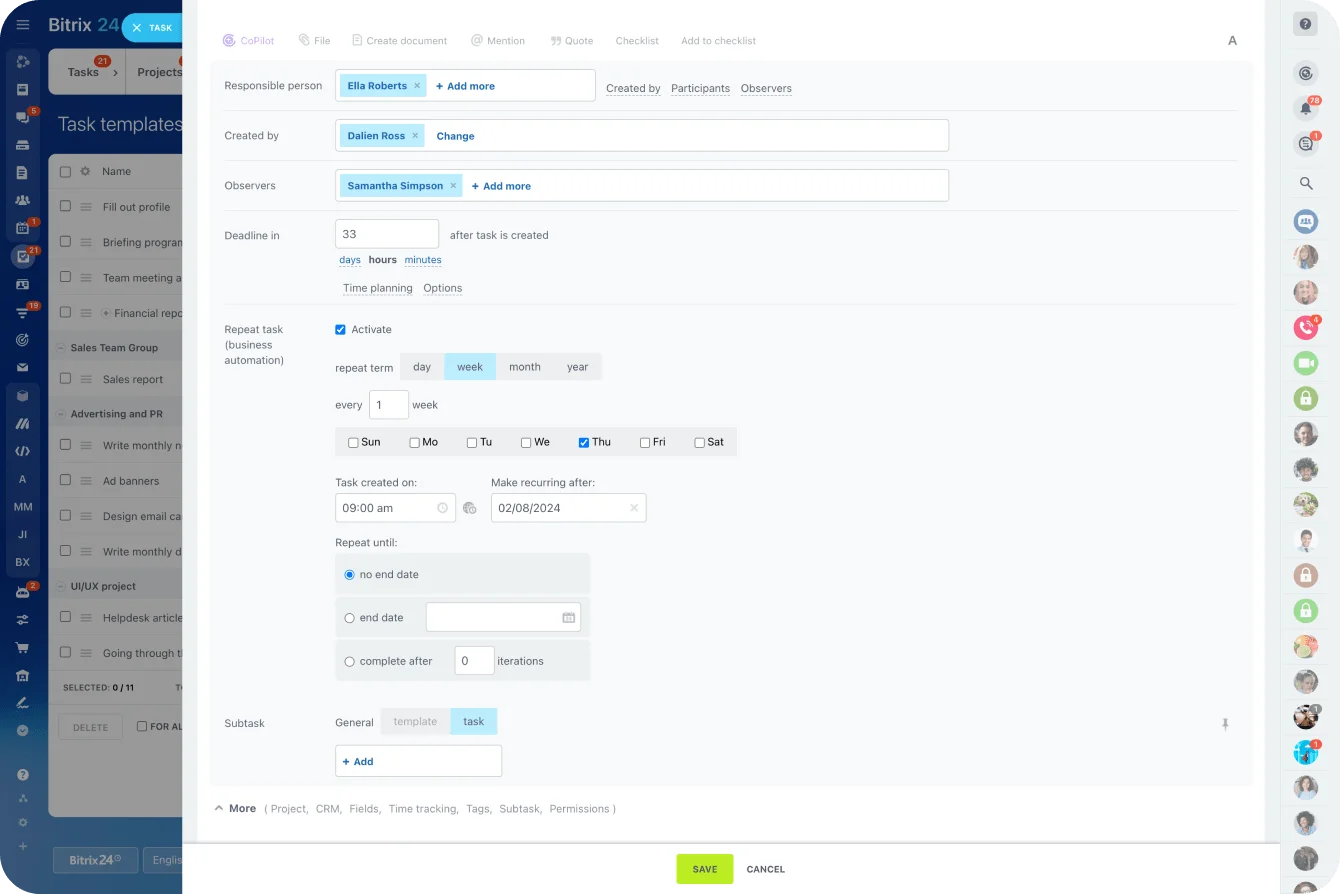
If the intranet and the daily work should live in the same place, Bitrix24 keeps that loop in one workspace. The knowledge base sits alongside tasks, chat and company announcements, so a policy’s review date can be a recurring task assigned to its owner, and the update goes out in the feed people already read.
For a comms-led rollout to frontline phones, Staffbase or Haiilo is the better start.
You can set up a Bitrix24 workspace and test it with your own policies.
Takeaway: An intranet stays useful when every page has an owner who gets reminded, and the platform that sends that reminder automatically beats the one with the better homepage.